How I got pwned, then cut my cloud costs
- Published
- Reading time
- 4 minutes
- Tags
- #cloud #architecture
Back when I started this blog about software engineering — quite the original idea —, my goal was to share some “I wish I’ve known that before” tips about Go and everything related to sysadmin.
After writing my first post, my main concern was how to host it.
Since I’m a human, and humans are creatures of habits, I thought that a Linux server with NGINX was a nice and easy solution. After a bit of research, I found a hosting provider with decent prices that was located in the EU and used sustainable energy. Namely, Hetzner.
However, hosting a static website does not really require four CPUs and 8GB of RAM, so the server I paid for also happened to be a sandbox for various projects.
One of these projects was observability and monitoring using Prometheus and Grafana. To do so, I installed a node exporter on my server and imported a cool dashboard on Grafana to view the exported metrics only to realize a server with one CPU would have been more than enough for my use case.
The initial Prometheus setup focused solely on metrics collection, ignoring alerting entirely. Astute readers will recognize that observability without alerting is hardly monitoring at all. A lesson I learned the hard way when, one morning, the dashboard revealed that strangers were making better use of my server’s resources than I was, mining cryptocurrencies.
We won’t dwell too much on how they gained unauthorized access but to understand it, we need to dive into the core topic on this post: how this blog is hosted.
This blog is built using Hugo using the following setup:
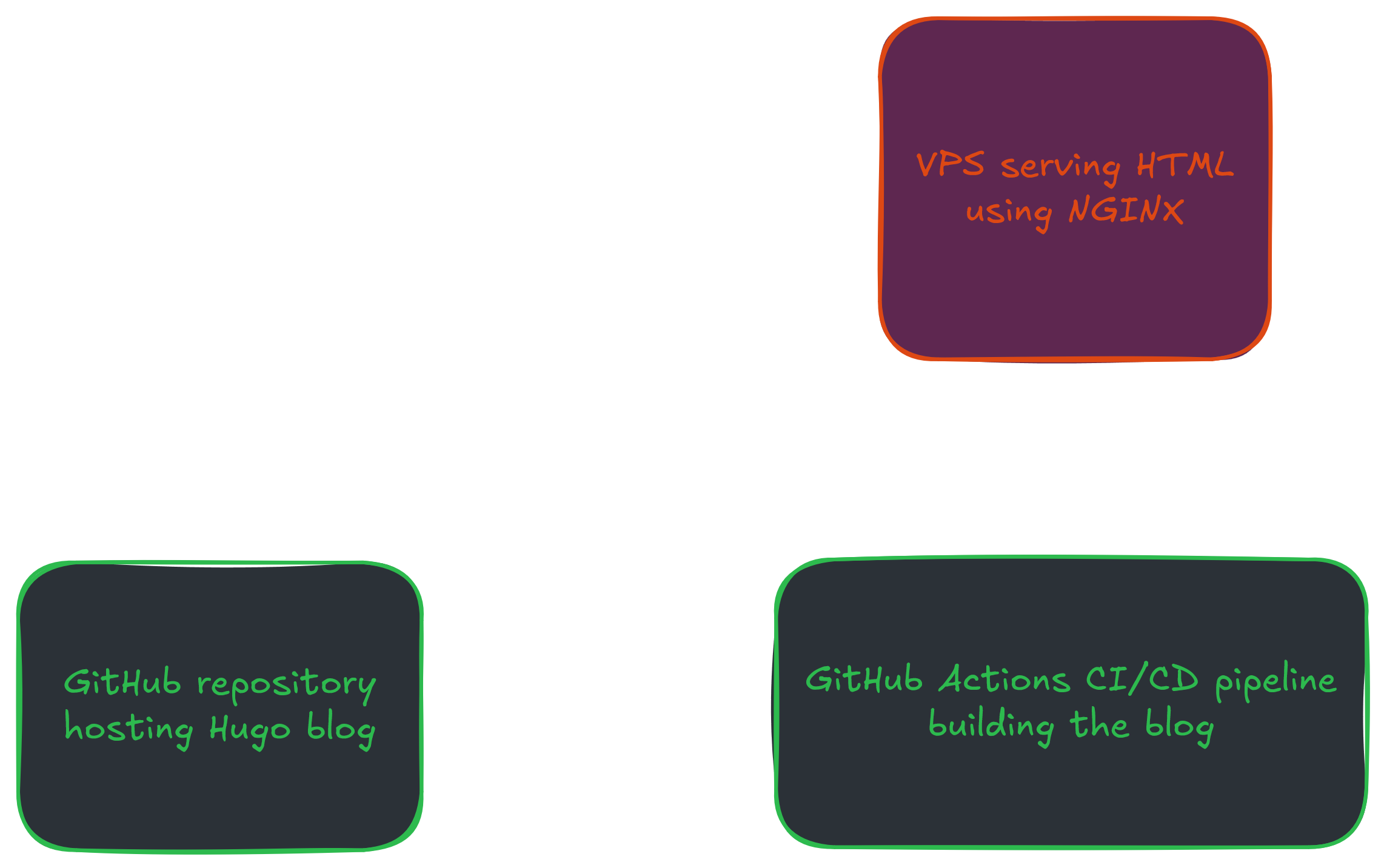
Whenever I write a new post, I push to it to my repository which triggers a pipeline that runs hugo build then rsync
the result to my server.
In order to execute the rsync command to publish the blog’s content to the server, a user and
its associated SSH key were required. Long story short, I didn’t take the proper measures to ensure the key safety
and so it leaked, allowing the hackers to access my server.
One way to limit the perimeter of this would have been to create a user with no shell and restrict the command
it can execute via SSH to rsync by limiting them in its ssh/authorized_keys file.
Anyway, I had to rethink the architecture in a way that would not involve storing any SSH key nor creating a new user, so I came up with the following:
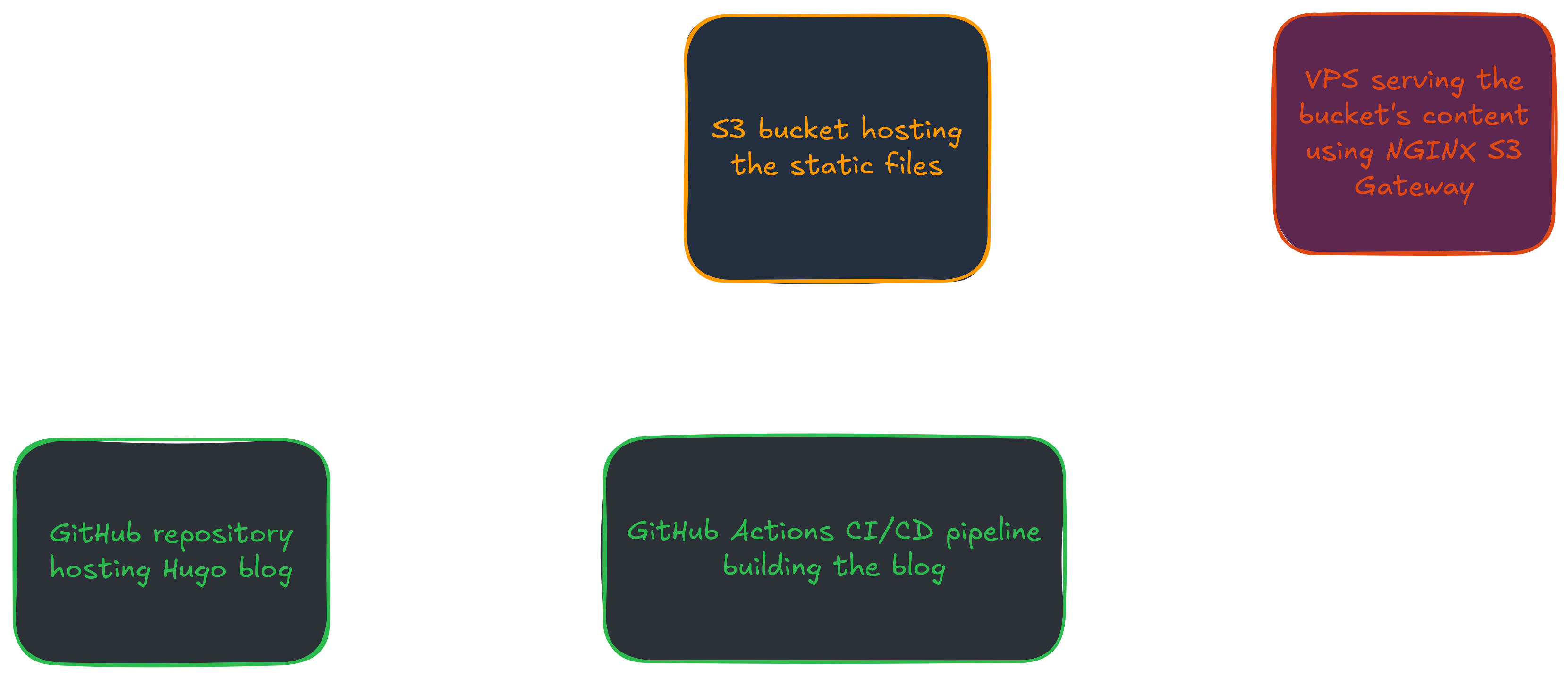
The only secret that needed storing was the S3 bucket secret key, but now I had yet another service to pay for. When comparing the various S3 providers, I found out that Cloudflare, which was already used as this blog’s CDN, had an object storage service called R2.
R2 also happens to have a free tier which offers:
- 10GB of storage
- One million of operations mutating the bucket state per month
- Ten million of operations reading the bucket’s content per month
This perfectly suits the needs of a static website. And even if, despite aggressively caching the resources, I went over the ten million read requests, they are still much cheaper than the cost of a VPS ($0.36/million).
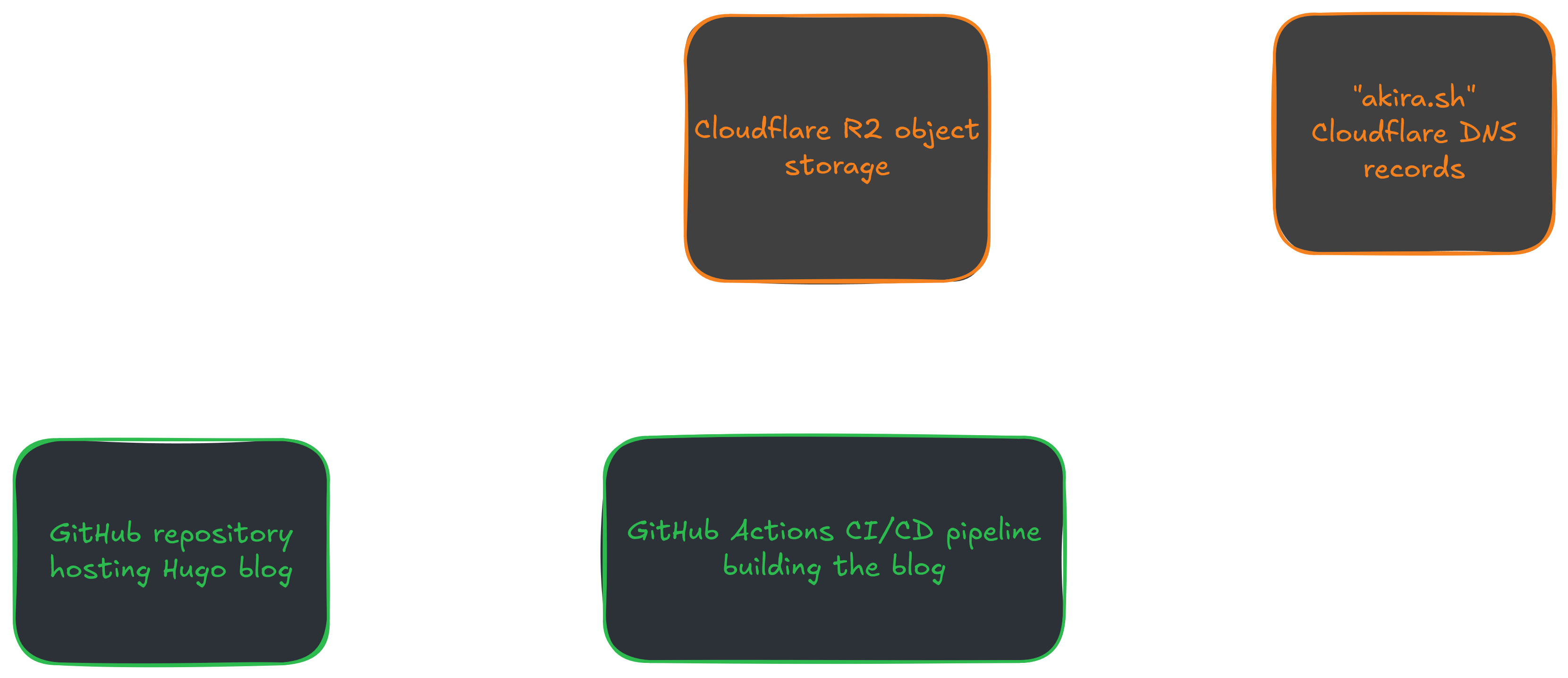
Since Cloudflare managed my DNS records, I could simply point my domain to the R2 bucket and eliminate the server cost entirely. Sure, I’d lose my sandbox environment, but virtual machines make for good labs, and this approach eliminated the security maintenance burden altogether. I had to remind myself of my original problem: how to serve static content?
Classic case of over-engineering. Let’s host this on a webserver. How should I harden the server? Let’s write Ansible playbooks to automate everything. Never mind that I’m paying $20/month for resources I barely use.
But at the end of the day, static content can be served for free or almost. Here’s the final and current architecture that costs $0/month:
In the spirit of this post, let us part with this quote from Antoine de Saint-Exupéry, “perfection is reached, not when there is nothing more to add, but when there is nothing less to strip”.